01 โ€” Mobile application

Fresh Drop

I designed Fresh Drop as a grocery delivery app that makes everyday shopping simple, fast, and hassle-free, with easy access to fresh products and quick home delivery.

Role
UI/UX Design
Platform
Mobile
System
50+ components
Deliverable
Prototype

Open the Figma file

The product

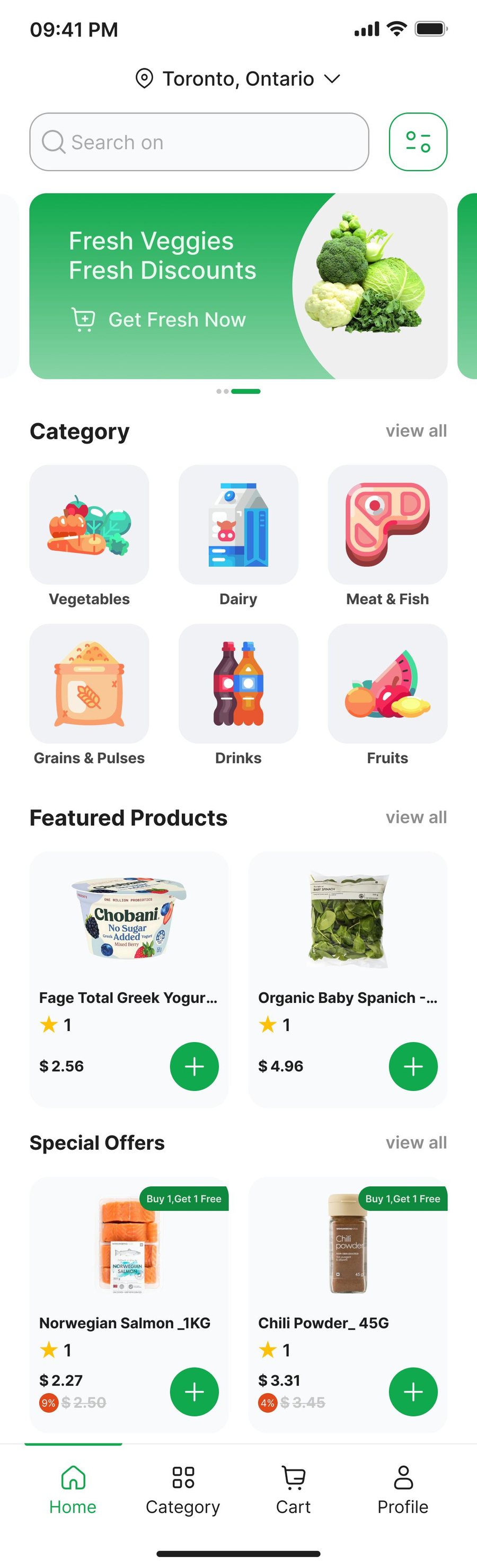
People should be able to find vegetables, dairy, meat, grains, drinks, and fruit without hunting. The home screen leads with a fresh-produce offer, then categories, featured products, and special offers โ€” each with a price and a one-tap add. The Figma file continues through onboarding, search, cart, checkout, orders, profile, and sign-in.

The system

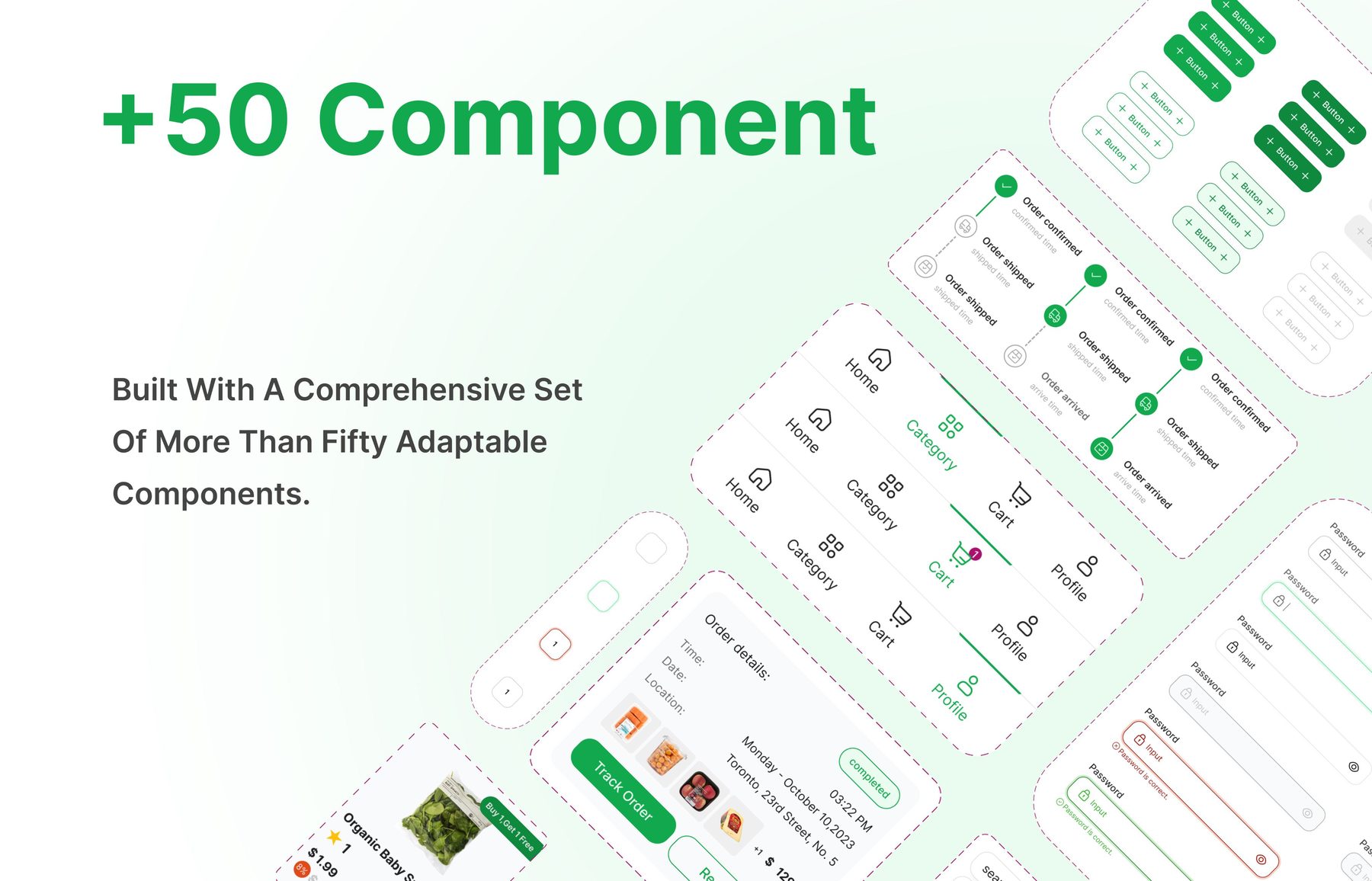
The interface is built from a set of more than fifty adaptable components: buttons, navigation states, order tracking, password fields, quantity controls, and product cards. The same parts restyle across the flow instead of being redrawn screen by screen.

Fresh Drop component sheet showing buttons, navigation, order tracking, and form fields
A component set covering navigation, order status, inputs, and product cards.
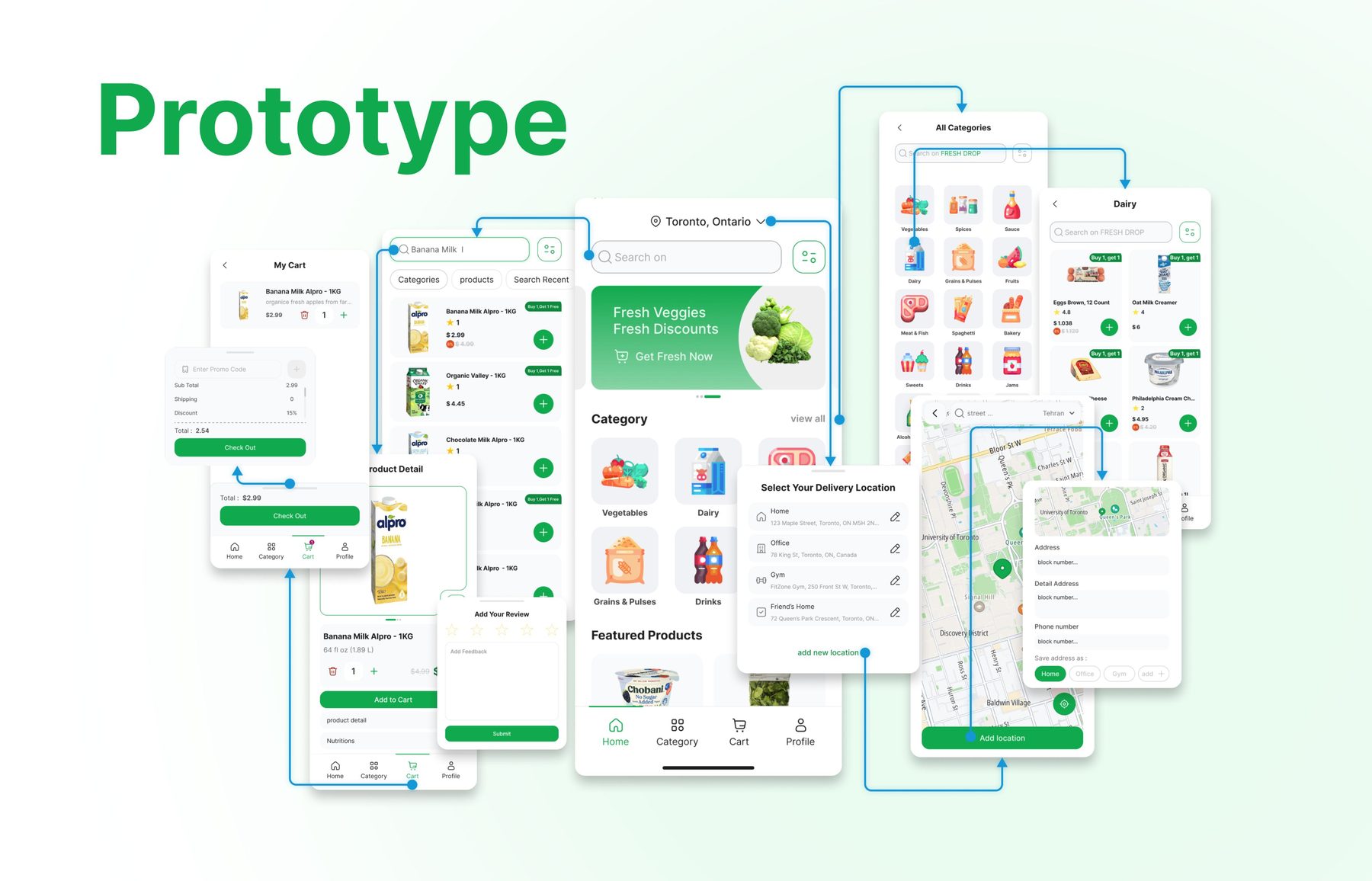
Connected prototype of Fresh Drop from cart and product detail through categories and delivery location
Prototype linking cart, search, product detail, reviews, categories, and delivery location.
Fresh Drop home: location, search, categories, featured products, and special offers
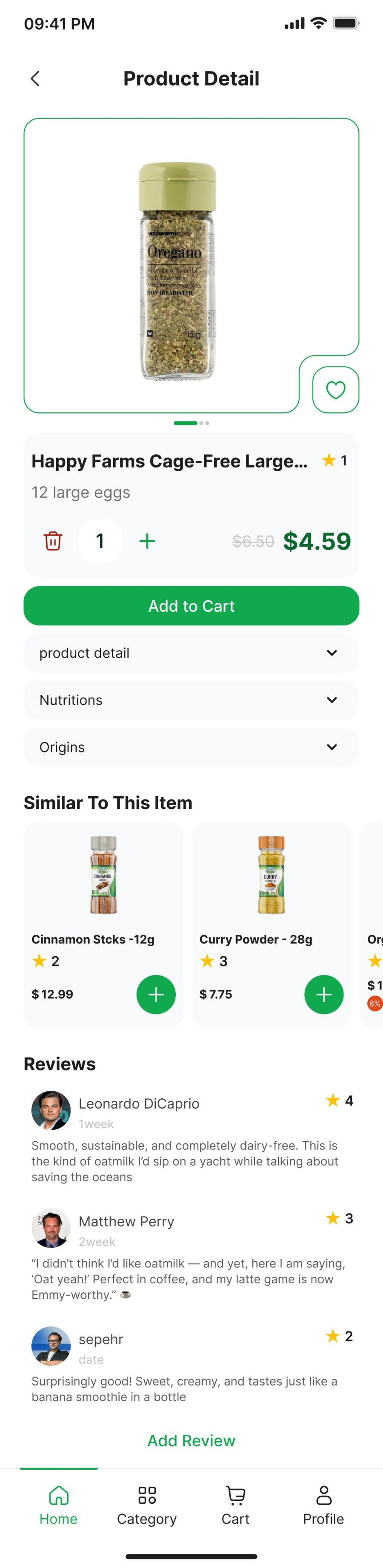
Product detail for cage-free eggs with quantity, nutrition, similar items, and reviews

Home sets the shopping path. Product detail holds quantity, nutrition, similar items, and reviews before add to cart.